
There's nothing like driving on a dark road with a bright white touchscreen lighting up the whole cabin. It's hard on your eyes, and it makes the road ahead harder to see. The good news is that every RAV4 from 2019 to 2026 lets you dim the center touchscreen and turn it off. A 2023 to 2026 RAV4 also lets you pick a dark night look and keep listening with the center touchscreen off. In this guide I'll walk you through how to do that on each model year. I'll also cover the one setting that keeps a lot of RAV4 center touchscreens stuck on bright, and what the 2026 does differently from the 2023 to 2025.
How to dim the RAV4 screen, use night mode or turn it off, by model year
| Model year | Dim the screen | Night mode (dark screen) | Turn the screen off |
|---|---|---|---|
| 2019 to 2022 (Audio Plus and Premium Audio, 8-inch) | Press the MENU button, then Display, then General, and use Brightness minus | Automatic with the headlights on. No way to pick night mode by hand | MENU button, then Display, then the screen-off option at the top. Press any button to turn the screen back on |
| 2023 to 2025 (Toyota Audio Multimedia, 8-inch or 10.5-inch) | Settings (gear icon), then Display, then Screen, and lower the Brightness slider | Same Screen page: Automatic, Daytime (light) or Nighttime (dark) | Same Screen page: turn the Display switch off. Touch the screen and tap the unlock button to bring it back |
| 2026 (10.5-inch or 12.9-inch) | Tap the top of the screen to open the quick control screen and use the brightness slider | Quick control screen: Auto, Dark or Light | Quick control screen: screen off. Touch the screen and tap the unlock button to bring it back |
The steps are the same on the gas RAV4, the RAV4 Hybrid and the RAV4 Prime or Plug-in Hybrid in each model year, so you'll just want to find the row that matches your year and go from there.
First, check the dash brightness dial
The dash brightness dial is the small ribbed wheel at the far left of the row of buttons low on the dash, to the left of the steering wheel. It has a little sun and gauge symbol next to it. Toyota calls it the instrument panel light control. Toyota's manual says it makes the gauges and dash lights brighter or darker.
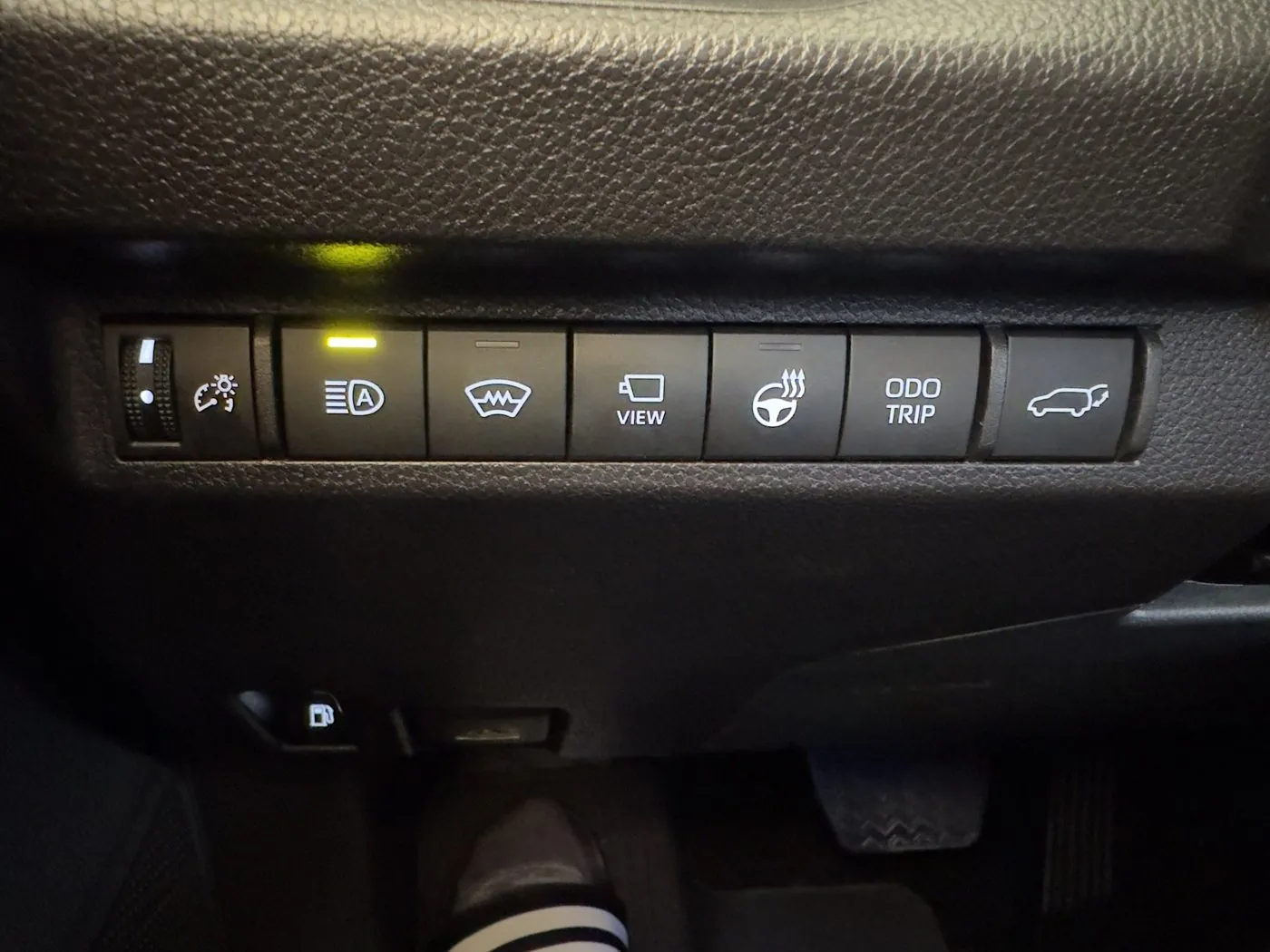
This is the button row on my 2025 RAV4 Hybrid XSE. The ribbed wheel at the far left, with the sun and gauge symbol, is the dash brightness dial.
The manual doesn't mention what happens at the very top of the dial. Roll the dash brightness dial all the way up and you'll feel it click into a top position. I tested this in my 2025 RAV4 Hybrid XSE at night, with the headlights on and the center touchscreen's Mode set to Automatic. Here's what I found:
- Top click. With the dash brightness dial clicked all the way up into its top position, the center touchscreen stays in its light day look.
- One click down. Roll the dash brightness dial down one click and the center touchscreen switches into its dark night look. That first click also dims the gauge screen behind the steering wheel a little.
- Further down. Rolling the dash brightness dial further down keeps dimming the gauge screen. Below that first click, the dash brightness dial doesn't change the center touchscreen.
Owners on the RAV4World forum have found the same thing. One owner thought new RAV4s seem to come from the factory with the dash brightness dial in that top position. A 2025 RAV4 Limited owner wrote that taking the dial off max "did the job" and the automatic dimming started working.
Here's the fix:
- Roll the dash brightness dial all the way up until it clicks.
- Roll the dial back down one click, so it's just below the top.
- At night, with the headlights on, roll the dial down further if you want the gauges dimmer.
Keep in mind the dash brightness dial still leaves everything at full brightness during the day. Toyota's manual says that when it's bright outside, turning on the lights doesn't change the dash brightness. The opposite trick is handy too. If the center screen or the gauges are too dim in the sun with your headlights on, you can click the dial back into the top position.
On the 2026 RAV4, Toyota replaced the dial with a small switch you press for brighter or darker. Toyota's 2026 manual doesn't say whether the 2026 switch has a top position like the older dial.
How to make a 2023 to 2025 RAV4 screen darker at night
On a 2023 to 2025 RAV4, all the screen settings live on one page of the center touchscreen. Here's how to get there:
- Tap the gear icon at the bottom of the strip on the left edge of the center touchscreen to open Settings.
- Tap Display.
- Tap Screen.
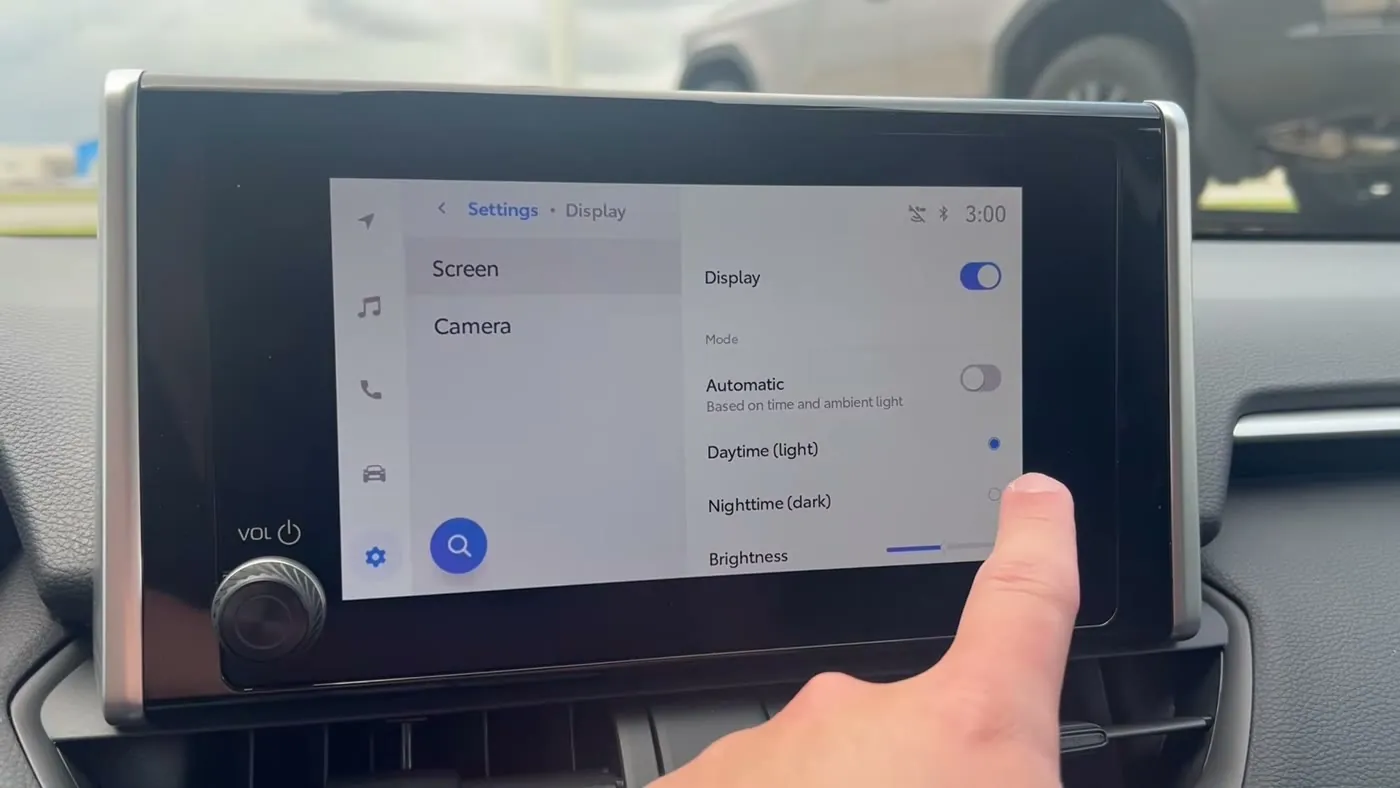
Here's the Screen page under Settings, then Display, on a 2025 RAV4. From top to bottom you get the Display switch, the Mode choices and the Brightness slider. From Matt's Toyota Reviews' video.
Here's what each setting on the Screen page does:
- Automatic. The center touchscreen switches between its light day look and its dark night look on its own. Toyota's 2025 multimedia manual says Automatic follows whether the headlights are on, not the clock. The screen's own label says "Based on time and ambient light," which doesn't match the manual. With the headlight switch on AUTO, a light sensor on top of the dashboard, just below the windshield, decides when the headlights come on. So a brightly lit garage at night can keep the headlights off and the center touchscreen in its light look. Toyota also notes the screen may not switch automatically in some situations, like while parking. Automatic only works when the dash brightness dial is below its top click. In my 2025 RAV4 Hybrid XSE, with Automatic on and the headlights on, the screen stayed in its light look until I rolled the dial down one click.
- Daytime (light). With Automatic turned off, this keeps the center touchscreen in its light day look all the time, even at night. If your screen is bright white at night, it's worth checking that Daytime (light) isn't selected.
- Nighttime (dark). With Automatic turned off, this keeps the center touchscreen in its dark night look all the time. In night mode the center touchscreen dims, and the white backgrounds turn black. Because you're picking Nighttime (dark) by hand, it's meant to keep the center touchscreen dark whatever the dash brightness dial is set to, so it's the way to skip the dash brightness dial entirely.
- Brightness. A slider for how bright the center touchscreen is.
- Contrast. A slider for how strong the contrast is.
If you just want the center touchscreen dark every night without thinking about it, you'll want to turn Automatic off and pick Nighttime (dark). Some owners leave the screen on Nighttime (dark) all the time, because Automatic can flick back and forth when you drive under a bridge or through a tunnel.
If Automatic gets stuck, the first thing to check is the dash brightness dial. If the dash brightness dial is in its top click, roll it down one click before you try anything else. If the center touchscreen still doesn't switch, owners report a couple of other things. One owner's center touchscreen stayed in night mode after backing out of a dark garage on a sunny day. The screen went back to normal the next time the RAV4 was started. Another 2025 owner's screen never went into night mode at all. Turning Automatic off, restarting the center touchscreen and then turning Automatic back on fixed that one. To restart the center touchscreen, hold the POWER/VOLUME knob for 3 seconds. My screen restart guide has the details.
Something to note is that the camera picture has its own brightness. Under Settings, then Display, then Camera, you can set the brightness and contrast of the backup camera and 360 camera picture separately.
How to turn the screen off but keep the music playing on a 2023 to 2025 RAV4
On a 2023 to 2025 RAV4, the switch that turns the center touchscreen off is on the same Screen page:
- Tap the gear icon to open Settings.
- Tap Display, then Screen.
- Turn the Display switch at the top off.
Toyota's manual says that with the center touchscreen off, nothing shows on the screen and only the audio keeps playing. So your radio, Bluetooth music or Spotify through CarPlay keeps going. Toyota adds that the navigation keeps tracking where you are with the center touchscreen off.
Here's what to expect with the center touchscreen off:
- The center touchscreen comes back for a moment when you press the talk switch on the steering wheel or shift into Reverse, so you still get the backup camera.
- If you touch the center touchscreen, an unlock button shows up in the center. Tap the unlock button to turn the screen back on.
- If you touch the center touchscreen but don't tap the unlock button, the screen turns off again after 3 seconds.
How to dim or turn off the screen on a 2019 to 2022 RAV4
On a 2019 to 2022 RAV4 with the 8-inch Audio Plus or Premium Audio screen, the display settings live under the MENU button, which is one of the physical buttons beside the center touchscreen:
- Press the MENU button.
- Select Display.
From there:
- Turn the screen off. The screen-off option sits at the top of the Display screen. Press any button to turn the center touchscreen back on. Something to note is that Toyota's 2019 to 2022 manual doesn't say whether your music keeps playing with the screen off, the way the 2023 to 2026 manuals do.
- Brightness and contrast. Select General to adjust the center touchscreen's brightness and contrast with the plus and minus buttons. Select Camera to adjust the camera picture separately.
- Day Mode. On a 2019 to 2022 RAV4, night mode comes on by itself when the headlights are on. You can't pick night mode by hand. The Day Mode option only works while the headlights are on, and it keeps the center touchscreen in its bright day look. Toyota's manual says the RAV4 remembers Day Mode even after you turn the RAV4 off, so if your center touchscreen stays bright at night, it's worth checking that Day Mode isn't turned on.
The dash brightness dial matters here too. Owners of 2019 to 2021 RAV4s say clicking the dash brightness dial into its top position keeps the center touchscreen bright with the headlights on. Just keep in mind these steps come from Toyota's manuals for the 8-inch screens. The base 7-inch Audio screen on some 2019 to 2022 RAV4s may work a little differently.
How to dim, darken or turn off the screen on a 2026 RAV4
On a 2026 RAV4, Toyota put these settings on the quick control screen, a panel that pulls down from the top of the center touchscreen like the one on your phone:
- Tap the top of the center touchscreen, where your profile picture and the clock are.
- On the quick control screen, tap the screen-off button, switch the display theme between Auto, Dark and Light, or slide the brightness.
- Tap anywhere outside the panel to close it.
The Auto theme follows your headlights, so the center touchscreen stays light with the headlights off and dark with the headlights on. If you'd rather go through the menus, the same settings, plus contrast, are also under Settings, then Displays & Camera. Keep in mind the audio keeps playing with the screen off. To bring the center touchscreen back, you touch the screen and tap the unlock button. My 2026 touchscreen guide covers the rest of the quick control screen.
Can a 2023 to 2025 RAV4 do what the 2026 does at night?
Yes. For the center touchscreen at night, a 2023 to 2025 RAV4 can do everything the 2026 does. Both can turn the center touchscreen off with the music still playing, both have light, dark and automatic, and both have brightness and contrast sliders. What the 2026 adds is the shortcut. On a 2026, it's a tap at the top of the center touchscreen. On a 2023 to 2025, it's Settings, then Display, then Screen.
The 2019 to 2022 RAV4 is the one that's missing something. It can turn the center touchscreen off and dim it, but it only goes into night mode with the headlights on, and you can't pick night mode by hand.
If CarPlay is still bright at night
CarPlay has its own light and dark look. Apple says CarPlay uses its dark look by default in most cars, and you can set it to stay dark:
- Open the Settings app inside CarPlay on the RAV4's center touchscreen.
- Select Appearance.
- Select Always Dark.
Keep in mind, the brightness of the CarPlay picture still comes from the RAV4's Brightness setting. So if CarPlay is still too bright, you'll want to lower the RAV4's Brightness setting too. If you'd rather not see CarPlay at all, turning the RAV4's center touchscreen off keeps Spotify playing.
If the gauge screen behind the steering wheel is too bright
The gauge screen behind the steering wheel is a separate screen from the center touchscreen. The dash brightness dial is what dims the gauge screen. Toyota's manual says you can set one brightness for when your lights are on and another for when they're off. That means at night, with the headlights on, you can roll the dash brightness dial down until the gauges feel comfortable. My digital speedometer guide covers the gauge screen settings.
And if your RAV4 has the digital rearview mirror, it has its own brightness setting. My digital rearview mirror guide covers that.
Buddy’s take
If your RAV4's center touchscreen is blinding you at night, check the dash brightness dial first, because a dial clicked into its top position keeps the center touchscreen bright no matter what. Then on a 2023 to 2025 RAV4, you'll want to pick Nighttime (dark) on the Screen page if you'd rather have the center touchscreen dark every night. And on a 2023 to 2026 RAV4, if you just want to listen, you can turn the center touchscreen off and the music keeps playing.
If you have a question, feel free to email me at contact@ravbuddy.com. I read as many messages as I can, and your questions help me improve these guides.
Have a question about “RAV4 screen too bright at night? How to dim it, use night mode or turn it off”?
Ask it here. Every question comes to me first. I answer as many as I can, and each answered question goes on this page with my answer so other RAV4 owners can see it too. I don't ask for your email, so check back on this page for the answer.
More owner guides
The 2026 RAV4 touchscreen made simple: what's where, what still has buttons, and how to fix the common problems
If the dealer handed you the keys to a 2026 RAV4 and never showed you the screen, this guide walks through the screen by trim, the buttons, the home screen, the quick controls, driver profiles, "Hey Toyota" and the software updates.
How to stop the RAV4 360 camera from popping up, and how to use its views
The RAV4's 360-degree camera can take over your map every time you slow down. Here's how to stop the 360 camera from popping up on the 2019 to 2025 and 2026 RAV4, and how to use each camera view when you actually want it.
How to take your RAV4 through an automatic car wash
A short checklist of what to turn off before a conveyor car wash, and where each button is. Plus how to keep a 2019 to 2025 or 2026 RAV4 in neutral from start to finish.
The dealer GPS tracker in your RAV4: what it does, where it is, and how to remove it
What the plug-in GPS tracker some Toyota dealers add actually does, whether it can shut off your RAV4, the 10-second check under the driver's side dash, how to take the tracker out, and what to set up if you keep it.
How to set up and use the RAV4 digital rearview mirror
What the lever and each button on the RAV4 digital rearview mirror do, and how to get a clear camera picture with bifocals or at night. I also show how to program the HomeLink garage door buttons on the same mirror.
How to get the big digital speedometer on your RAV4, and set up the gauge screen
The exact steps for the 4.2-inch, 7-inch, 12.3-inch and 2026 gauge screens, plus brightness that's too dim, turn arrows you don't want, tire pressures for each tire, and the blank screen recall.
Where the RAV4 heated steering wheel, wiper de-icer and heated seat buttons are, and how to use them
The heated steering wheel and wiper de-icer buttons on a RAV4 are easy to miss. Here's exactly where they are on every year from 2019 to 2026, what each light means, and which ones you have to press again every drive.
How to use the RAV4 memory seat, link it to your key, and fix a seat that beeps but won't move
The RAV4 memory seat saves two driver's seat positions to the 1 and 2 buttons on the driver's door. Here's how to save a position, tie it to your key fob and fix the most common memory seat problem. And here's how to stop the seat moving by itself, on 2019 to 2025 and on the 2026.
What "PKSB Unavailable" means on your RAV4, and how to fix it
What the PKSB Unavailable message and the flashing PKSB OFF light mean, how to clear the message yourself, the right reset after a 12-volt battery disconnect, and when it's time to see a Toyota dealer.
How to use your RAV4's power liftgate and hands-free kick sensor
Which RAV4s have a power liftgate and a kick sensor, and how to turn each one on or off on every gauge screen. Plus how to kick so the hatch actually opens, and what to do when the liftgate stops halfway and beeps.
How to use the RAV4 rain-sensing wipers, and which way the sensitivity ring turns
The RAV4 rain-sensing wipers start on their own when rain hits the windshield. Here's every wiper stalk position and which way to turn the sensitivity ring. I also cover when to turn AUTO off, and how to fix wipers that are slow in mist or stop working after a new windshield.
RAV4 12-volt battery: where it is, how to jump it, and why it keeps dying
Where the small 12-volt battery sits on every 2019 to 2026 RAV4, Toyota's exact jump-start steps for the Hybrid and Prime, the bulletins and recall behind dead batteries, what to check when it won't go into READY, how to keep it charged, and which replacement battery fits.
Will a RAV4 make it to 200,000 miles? What high-mileage owners report, and how to get yours there
What owners of 2019 to 2025 RAV4s with 100,000 to 200,000 miles report, the weak spot on the gas RAV4 and the RAV4 Hybrid, the maintenance that matters past ToyotaCare, how many miles I'd accept on a used RAV4, and a schedule for 40,000 miles a year.
How to use adaptive cruise control and Lane Tracing Assist on your RAV4
Does your RAV4's cruise work in stop-and-go traffic, and why does the wheel jerk? Here's how radar cruise and lane centering work on every RAV4 from 2019 to 2026.
How to turn off the auto high beams on a RAV4, and the other ways to control them
Every 2019 to 2026 RAV4 has auto high beams, which turn your brights on and off by themselves at night. Here's how to turn them off on each model year, how to take over without turning them off, and how to cut down the flickering.
How to turn off auto start/stop on your gas RAV4, and whether it's hurting the engine
Is there a way to make your gas RAV4 stop shutting the engine off at every red light? Here's what the A OFF button does, why Stop & Start comes back on every time you start the car, and whether all that stopping wears out the starter.
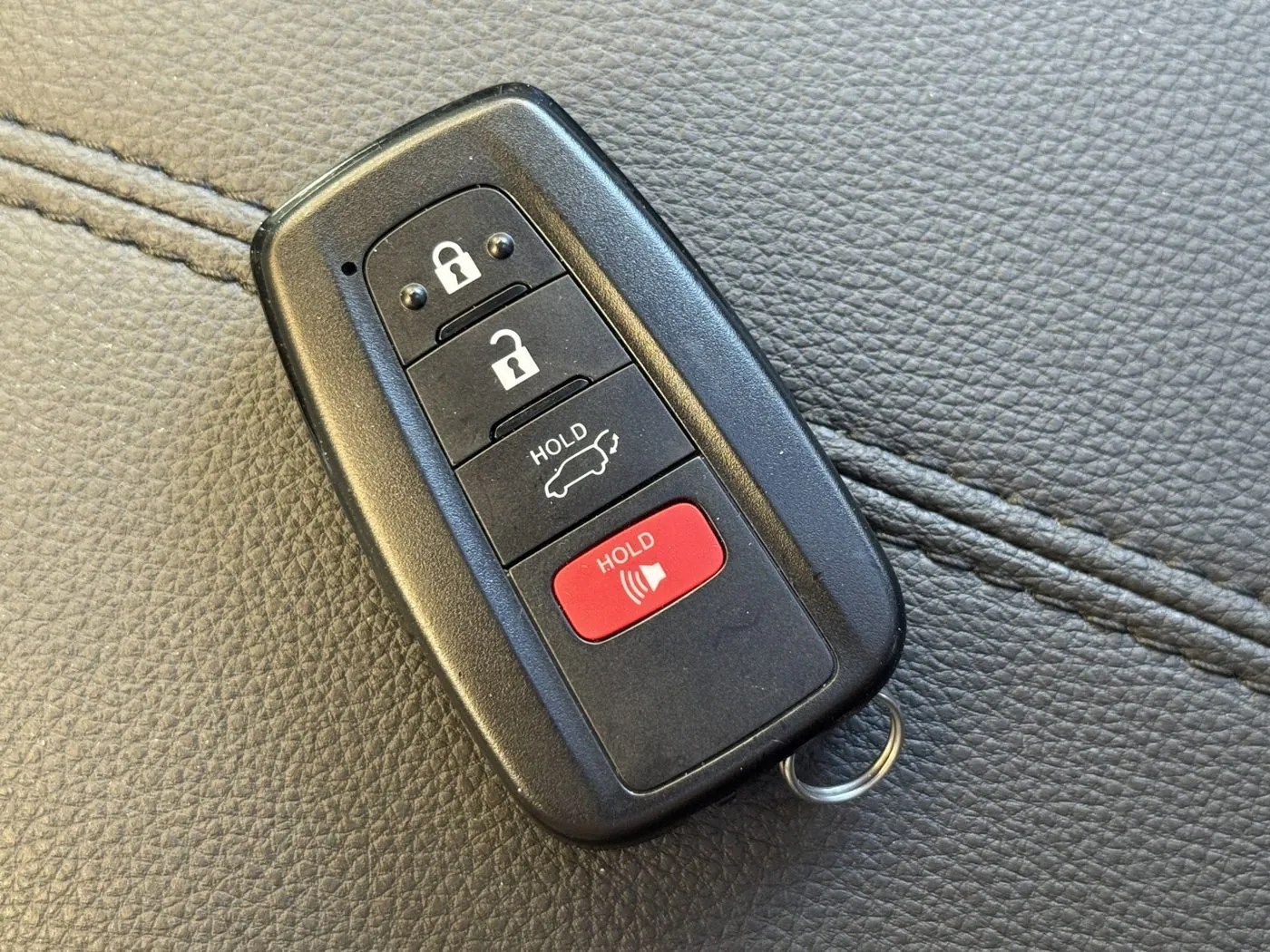
Why is my RAV4 beeping? Every beep explained, and which ones you can turn off
Your RAV4 beeps for a lot of different reasons, and most of them sound alike. Here's what each RAV4 beep means, what sets it off, and which beeps you can switch off on a 2019 to 2025 RAV4 and on a 2026.
How to install a car seat in a RAV4: LATCH anchors, top tethers and the seat belt method
Where the car seat anchors hide in every RAV4 from 2019 to 2026, how to install a car seat with LATCH or the seat belt, which back seat to use, and how much room the front seat has with a rear-facing car seat behind it.
RAV4 CarPlay and Android Auto: setup by year, and what to do when it keeps disconnecting
If your CarPlay won't connect or keeps dropping, this guide covers which RAV4 years are wired or wireless, how to set it up on each screen, the fixes to try in order, and which Toyota bulletin to bring to the dealer.
RAV4 Digital Key: which RAV4s have it, what it costs after the trial, and how to set it up
If you want your phone to be your 2026 RAV4's key, this guide shows which trims have Digital Key, what it costs after the free year, and how to set it up and share it on an iPhone, Pixel or Samsung.
First things to set up on your new RAV4: 17 settings to change in week one
The dealer probably didn't show you most of these RAV4 settings. Here are the 17 worth changing in your first week, which years each one applies to, and the exact steps.
RAV4 2.5-liter engine oil and coolant problems: the coolant valve, milky oil, oil leaks and oil burning
The 2019 to 2025 gas RAV4, RAV4 Hybrid and RAV4 Prime all use the same 2.5-liter engine. Here's which oil and coolant problems are real, which RAV4s they hit, and what Toyota pays for.
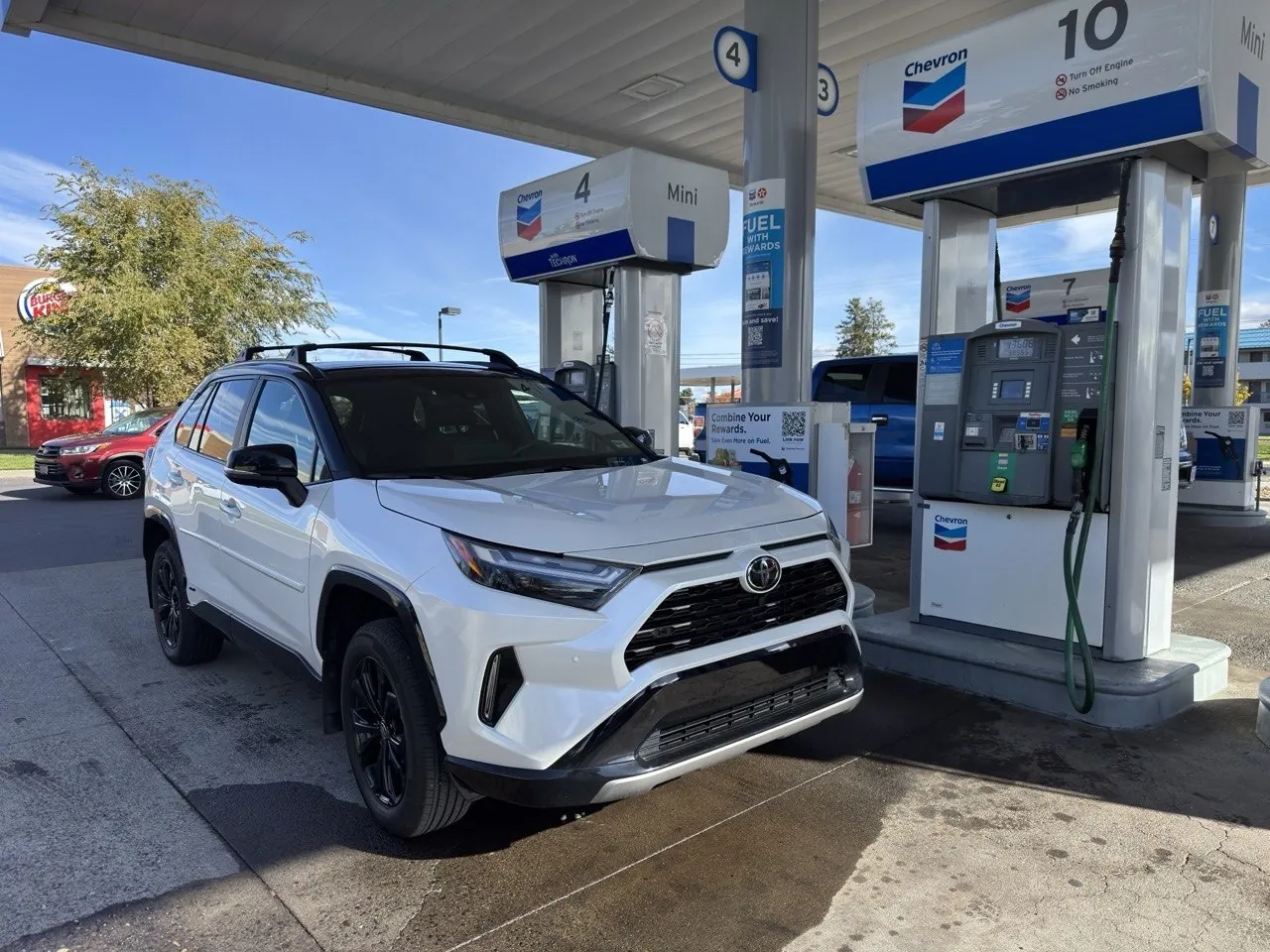
What gas should you put in your RAV4? 87 vs premium, and whether the station matters
What octane really does, what the lab tests measured, why the RAV4's engine is built for 87, which stations are Top Tier, and the popular videos that push premium.
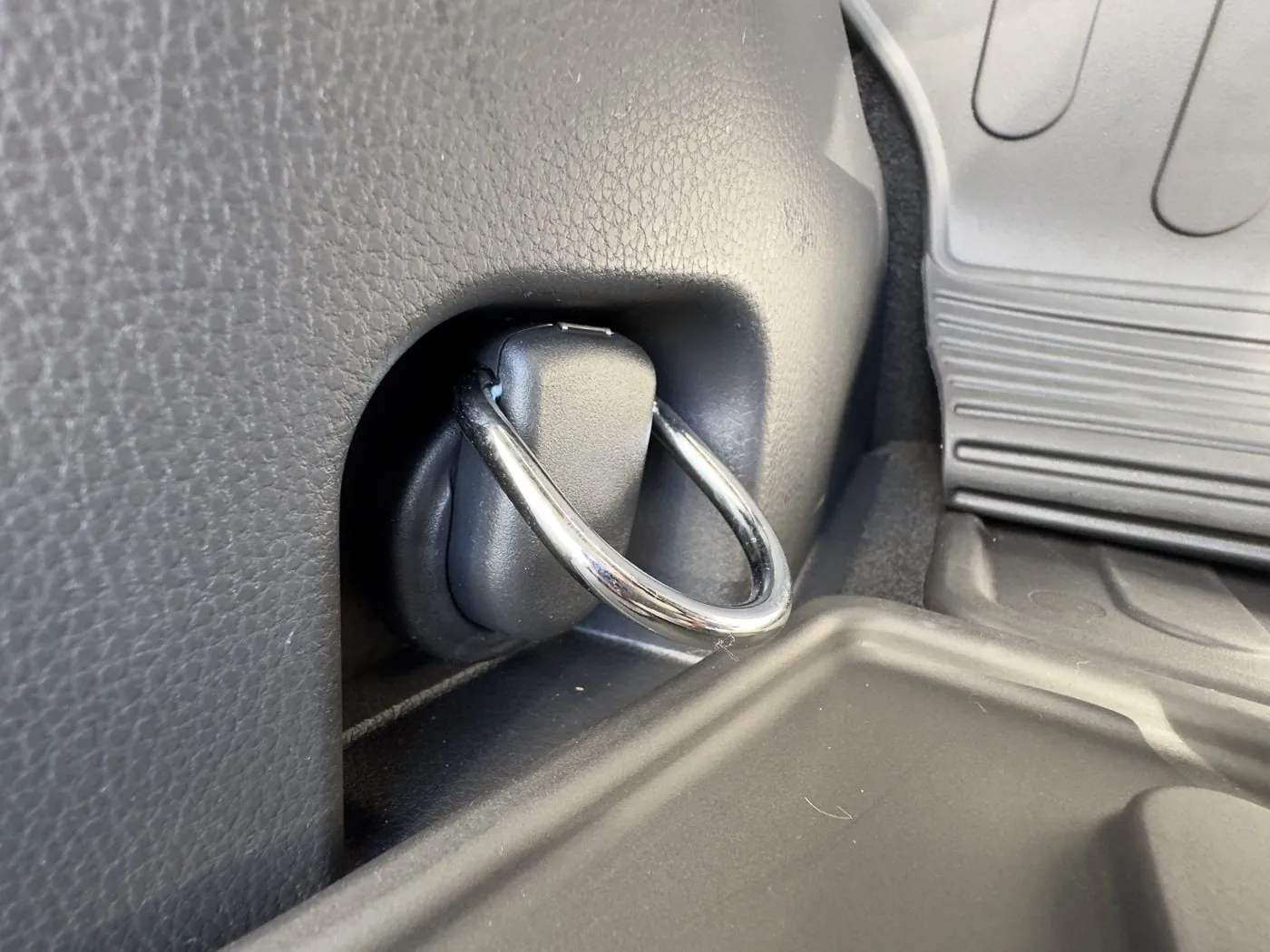
Hidden RAV4 features most owners never find (2019 to 2026)
The dealer never showed you most of these. Here's every useful hidden feature on the 2019 to 2026 RAV4, which years and trims have it, and exactly how to use it.
Is my RAV4 Hybrid battery going bad? P0A80, the cooling filter, and checking it yourself
What the hybrid battery warnings and P0A80 mean on a RAV4 Hybrid, the cheap filter clean that prevents them, and what an OBD2 app can and can't tell you.
RAV4 Hybrid cable corrosion: which years, what Toyota covers, and how to check your VIN
The high-voltage cable to the rear motor on 2019 to 2024 RAV4 Hybrids and 2021 to 2024 Primes can corrode from road salt. Here's how to spot it, what Toyota fixes for free, and the deadline that keeps your coverage.
RAV4 Hybrid drive modes: what the EV button does, why it turns off, and which mode saves gas
How the EV button, Eco, Normal and Sport work on a 2019 to 2025 RAV4 Hybrid and a 2026 RAV4 Hybrid, what each "EV Mode" message means, and which mode is best for mpg.
RAV4 Hybrid gas tank won't fill all the way: which ones have the problem, Toyota's free fix, and what's normal
Some 2019 to early 2021 RAV4 Hybrids click off at about 9 gallons after the low-fuel light. Here's how to tell if yours is one of them, how to get Toyota's free fix before the coverage runs out, and what to check on a used one.
RAV4 Hybrid in hot weather: the battery, the AC and towing
If you own or are shopping for a RAV4 Hybrid in places like Arizona, Texas and Southern California, this guide is for you. Here's how the heat affects the RAV4 Hybrid's mpg and hybrid battery, and the few simple things that keep the hybrid battery cool.
RAV4 Hybrid hypermiling: the screens, pulse and glide, remote start and mpg myths
How to use the RAV4 Hybrid's own screens to coach your driving, which hypermiling tips actually work, what a remote start really costs, and which mpg myths to skip.
RAV4 Hybrid mpg: why you're not getting 40, how to get 40+, and why it drops in winter
What a 2019 to 2026 RAV4 Hybrid really gets by year, trim, speed and season, which habits actually raise the number, and how to tell a normal drop from a real problem.
RAV4 Hybrid sounds explained: which noises are normal and which aren't
The brake pump whir, the clank under the back seat, the hum after you park, rusty brakes and an engine that keeps running. Here's what each RAV4 Hybrid sound is and when each sound means something's wrong.
Sitting in a parked RAV4 Hybrid: accessory mode vs READY, the AC and heat, and what stays on after you shut the RAV4 Hybrid off
This guide is for car campers, parents waiting at pickup, and anyone sitting with a dog in the back. Here's how to sit in a 2019 to 2025 RAV4 Hybrid with the radio, AC or heat on without draining the 12-volt battery, and how the gas RAV4 compares.
RAV4 key fob battery: which one, how to change it, and how to start with a dead fob
"Key Battery Low Replace Key Battery" isn't a problem with your RAV4. It's the small coin battery inside your key fob. Here's which battery your RAV4's fob takes, how to swap it, and how to start the RAV4 even when the fob is completely dead.
Does RAV4 key fob remote start need a subscription? Why it stopped, and how to get it back
The hidden lock, lock, hold lock trick on the RAV4 key fob depends on Toyota's Connected Services trials. Here's which RAV4s have key fob remote start, why it quits for some owners and not others, and your options if it stopped.
How to turn off lane departure beeping and lane assist on your RAV4
Why does your RAV4 keep beeping and tugging the wheel, and how do you make the beeping stop? Here's which button or menu stops which beep and tug on every RAV4 from 2019 to 2026, and whether the lane system stays off after a restart.
How to reset the maintenance required light on a 2019 to 2026 RAV4
The steps for your year and gauge screen, what the reminder actually counts, and which warning messages are not a reminder at all.
RAV4 maintenance schedule: what Toyota requires at 30,000 miles, and what the dealer adds
Toyota's own maintenance schedule for every 2019 to 2026 RAV4, RAV4 Hybrid and RAV4 Prime, interval by interval, with what's required, what's only for hard driving, and what's a dealer extra.
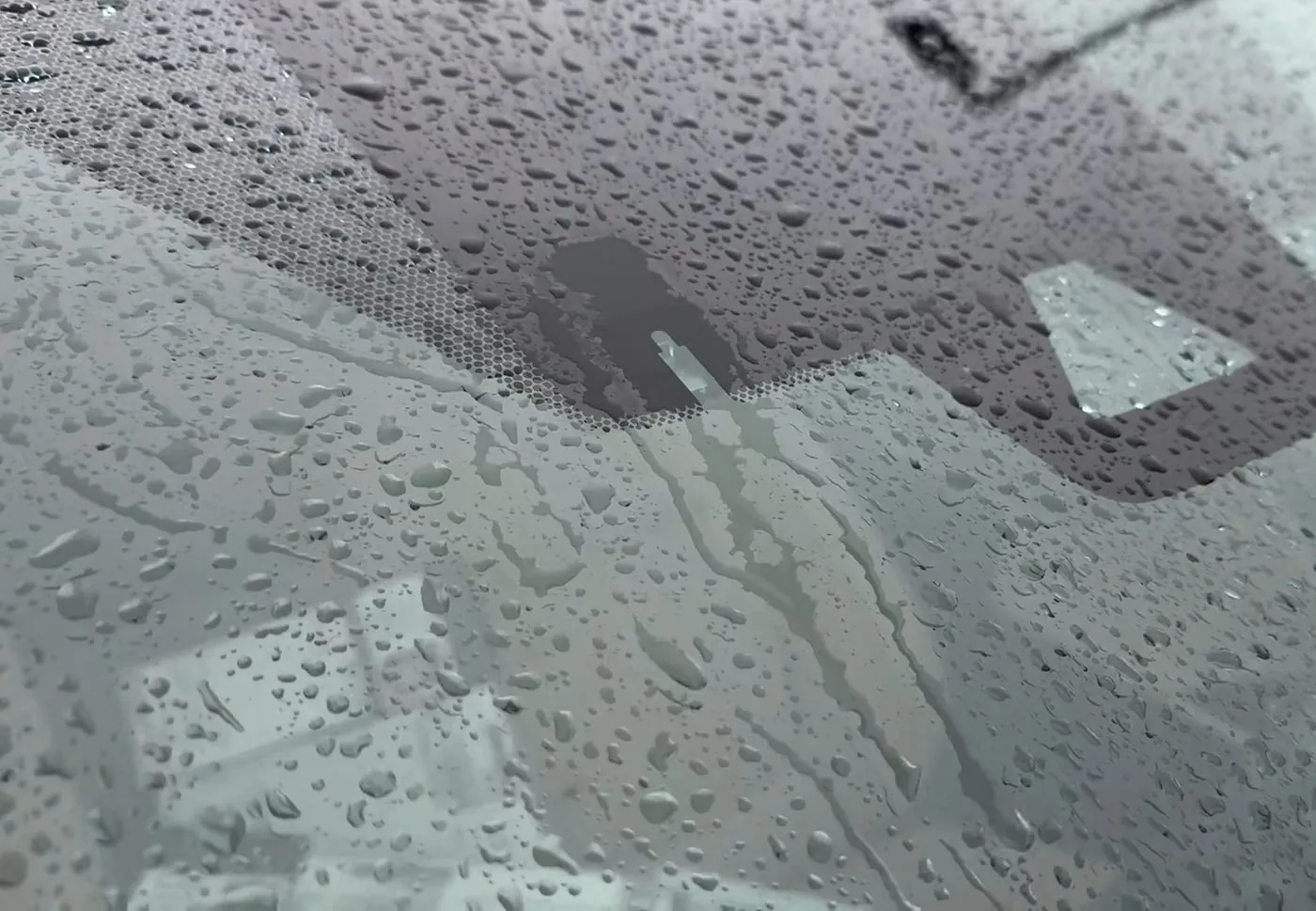
How to clean your RAV4's windshield and windows without harsh chemicals, and what works best
Five gentle ways to clean RAV4 glass, ranked by how well they work. Plus the owner's manual warnings for the rear window, front camera, rain-sensing wipers and digital rearview mirror.
The best places to learn about your RAV4 and find other RAV4 owners
When you own a RAV4, you start wondering where other owners hang out and where to get real answers. Here's the top pick for every topic, plus the other good options and the catch with each one.
"Pre-Collision System Unavailable" and "Radar Cruise Control Unavailable" on a RAV4: what they mean and how to fix them
Is it broken, or is it just snow? What the messages mean on every 2019 to 2026 RAV4, where the radar and the windshield camera are, what to clean, what to do after a new windshield, and the signs of a real fault that needs a Toyota dealer.
RAV4 Prime and Plug-in Hybrid home charging: is a regular outlet enough, or do I need Level 2?
Charge times on 120 and 240 volts for every plug-in RAV4 from 2021 to 2026, the charger and circuit each one can actually use, what an install costs, and how to make the charging schedule behave.
RAV4 power outlet: which RAV4s have the 120-volt outlet, what it runs, and camp mode
Which RAV4s have a 100-watt or 1,500-watt household outlet, how to turn the outlet on with the car parked, what it can run and for how long, and what Toyota says about running a RAV4 Hybrid all night for heat or A/C.
RAV4 Prime battery health: is charging to 100% bad?
What Toyota's manual says about charging to full, how much electric range owners report losing, what the warranty covers, and how the car drives when the electric range runs out.
RAV4 Prime and Plug-in Hybrid drive modes: EV, AUTO EV/HV, HV and Charge mode, and which to use when
What each drive mode on a plug-in RAV4 does, which button changes it on the 2021 to 2025 RAV4 Prime and the 2026 RAV4 Plug-in Hybrid, and which mode to use for a commute, a highway drive and a road trip.
RAV4 Prime maintenance when the engine barely runs
Oil change timing, old gas in the tank, the add-fuel message and real service costs for a plug-in RAV4 that mostly drives on electric.
Every RAV4 Prime and Plug-in Hybrid recall, and what to do about each one
I go through every recall on a 2021 to 2026 plug-in RAV4, the DC-DC converter recall and its cold-weather charging rule in plain words, what each charging warning message means, and the Toyota bulletins behind code P1CCC96 and other charging problems.
RAV4 rattles and leaks: what Toyota fixes for free, and what you fix yourself
Water dripping from the headliner, side mirrors that shake on the highway, a rattle by the front seat belt. Here's which of these Toyota fixes, who pays, and how owners track down the rest.
RAV4 road noise: how loud is it on the highway, and is something wrong with mine?
People say the RAV4 is loud on the highway. Here's how loud the RAV4 actually measures next to its rivals, where the noise comes from, which sounds mean something's wrong, and which fixes work.
RAV4 rust protection: washing off salt, undercoating and a spring check
What Toyota's rust warranty covers, how to rinse salt off a 2019 to 2026 RAV4's underside, which parts actually rust, when an oil spray makes sense on a gas, Hybrid, Prime or Plug-in Hybrid, and the spring check.
RAV4 screen frozen or black: how to restart it, check your software version and update it
If the center touchscreen in your RAV4 freezes, goes black or keeps rebooting, here's the 3-second restart, Toyota's fixes by year, and how to update the screen's software yourself.
How to reset the tire pressure light on a 2019 to 2026 RAV4
There's no reset button on a 2019 or newer RAV4. Here are the exact steps on each screen, when you don't need to reset at all, and how to set up winter wheels and new sensors.
How to install a trailer hitch and trailer wiring on a RAV4, with no drilling
Step by step for the bolt-on 2-inch hitch and the plug-in trailer light harness on every RAV4 from 2019 to 2026, gas, Hybrid and Prime, plus what you add for a 7-pin plug and a brake controller.
Sharing a RAV4 between two drivers: both phones, both profiles and the Toyota app
If you and your partner both drive the RAV4, this guide shows how to get both phones working and how to add the second driver's profile. It also covers how two people can share remote start in the Toyota app, for 2019 to 2026.
RAV4 windshield cracked for no reason: is it a defect, and who pays?
Owners say their RAV4 windshields cracked with nothing hitting them. Here's what the records actually show, who usually pays, which glass to ask for, and why the camera has to be recalibrated after.
RAV4 winter prep: clear windshields, frozen doors, block heaters and a checklist
The defrost settings that clear a 2019 to 2026 RAV4's windshield fastest, how to open a frozen door, liftgate, fuel door or charge port without breaking anything, which RAV4s can take a block heater, and what to do before the first snow.
The Toyota app on a RAV4: what's free, what costs money, and what to keep
When you link your RAV4 to the Toyota app, it walks you through a lot of trials and paid plans. Here's what each one does, what it costs when the trial ends, and what you already get free. And I cover how to link every RAV4 year and what to do when the app won't work.
How to stop the Toyota welcome screen, and whether you need to link your RAV4
The Toyota welcome screen on your RAV4 keeps asking you to link the car to the Toyota app. Here's how to make it go away for good, and what you give up if you never link it.
How to turn off your RAV4's automatic parking brake (PKSB)
The switch that stops your RAV4 from slamming on the brakes while you park is not the same switch as the parking beeps. Here's exactly which switch does what, where to find the PKSB switch on your RAV4, and how to turn PKSB back on.
- Toyota multimedia owner's manuals: 2020 RAV4 Navigation and Multimedia (OM0R026U), pp.33 to 34, and the 2021 manual (OM0R030U); 2025 RAV4 Multimedia (OM0R195U), pp.55 to 56; 2026 RAV4 Multimedia (OM0R164U), pp.31 and 60 to 61.
- Toyota owner's manuals for the dash brightness dial: 2023 to 2025 RAV4 Hybrid (OM0R102U), pp.97 to 98 and 104; 2026 RAV4 Hybrid (OM0R160U), p.96.
- Owner reports on RAV4World: "Center monitor display at night is too bright" (October 2024); "Nav screen not automatically going into night mode" (February 2025 to March 2026); "Day/Night display mode" (March 2023 to March 2026); "Auto Night time Dim on Screen" (August 2022); "Keeping Navigation from going to Dark Mode when headlights are on?" (May 2025); "Turn down CarPlay brightness?" (September 2024).
- Apple, "Change settings in CarPlay".
- Screen photo: Matt's Toyota Reviews. Button row photo and the dash brightness dial test are from my 2025 RAV4 Hybrid XSE.
RAV Buddy is an independent fan site. We're not affiliated with or endorsed by Toyota. RAV4 is a trademark of Toyota Motor Corporation.